Markdown Cheat Sheet
Every common Markdown element, with a copyable example and its live rendered output. New to Markdown? Start with What is Markdown? — or try everything in the live editor. Prefer a copy to keep? Download a printable cheat sheet ↓
Headings
Use 1–6 # characters. One # is the page title.
# Heading 1
## Heading 2
### Heading 3
Heading 1
Heading 2
Heading 3
Bold, italic & strikethrough
*italic* or _italic_
**bold** or __bold__
***bold italic***
~~strikethrough~~
italic or italic
bold or bold
bold italic
strikethrough
Unordered lists
Use -, *, or +. Indent two spaces to nest.
- First item
- Second item
  - Nested item
- Third item
- First item
- Second item
- Nested item
- Third item
Ordered lists
1. First
2. Second
3. Third
- First
- Second
- Third
Task lists
GitHub-flavored Markdown (GFM).
- [x] Done
- [ ] Not done
- Done
- Not done
Links
[Link text](https://example.com)
[Link with title](https://example.com "Hover title")
<https://example.com>
Images


Inline code
Use `backticks` for inline code.
Use backticks for inline code.
Code blocks
Add a language after the opening fence for highlighting.
```python
print('hello world')
```
print('hello world')
Blockquotes
> This is a blockquote.
> It can span multiple lines.
This is a blockquote. It can span multiple lines.
Tables
GFM. Colons in the divider row set column alignment.
| Name  | Role     |
| ----- | -------- |
| Ada   | Engineer |
| Grace | Admiral  |
| Name | Role |
|---|---|
| Ada | Engineer |
| Grace | Admiral |
Horizontal rule
Above the line.

---

Below the line.
Above the line.
Below the line.
Line breaks & paragraphs
End a line with two spaces
to force a line break.

Or leave a blank line for a new paragraph.
End a line with two spaces to force a line break.
Or leave a blank line for a new paragraph.
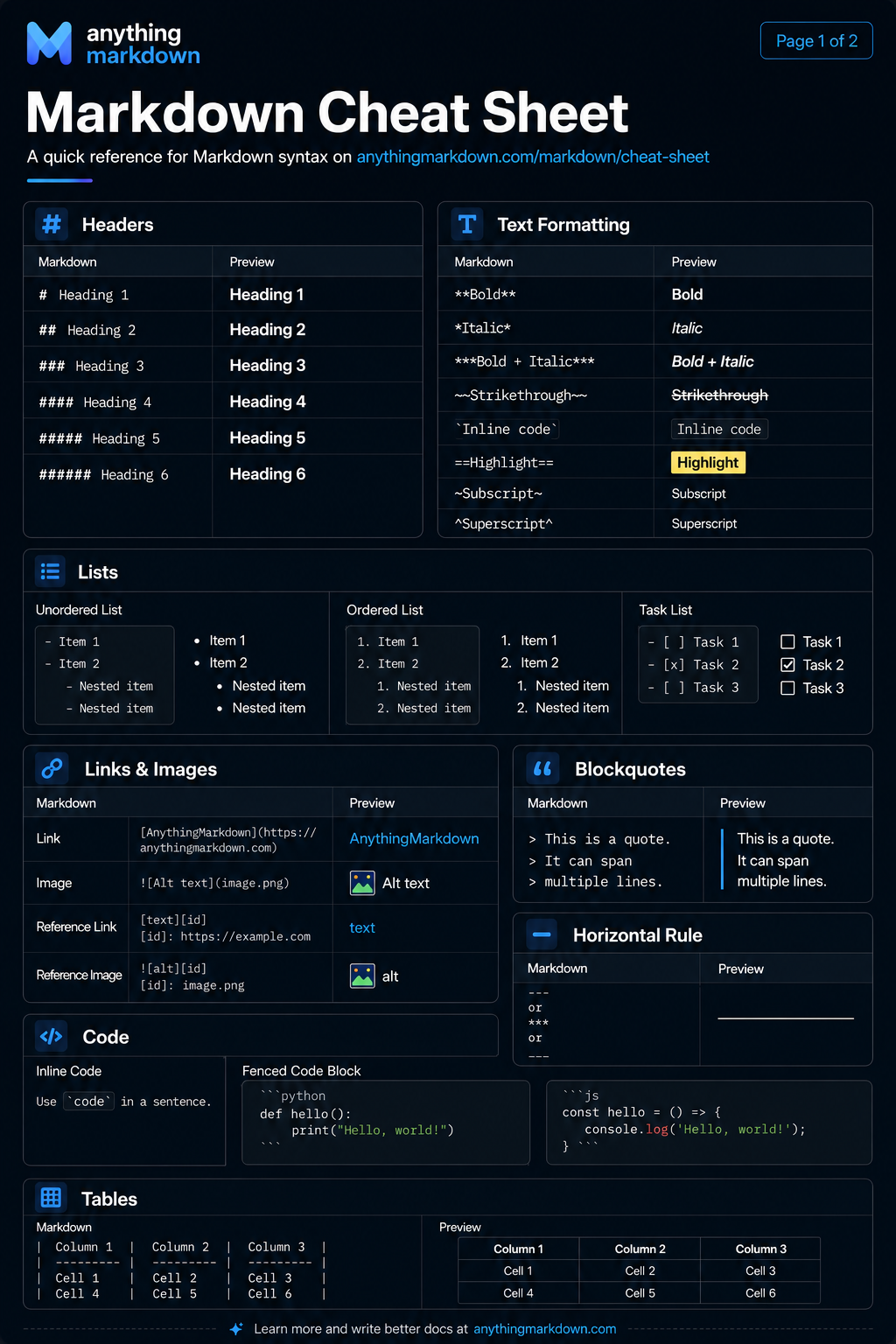
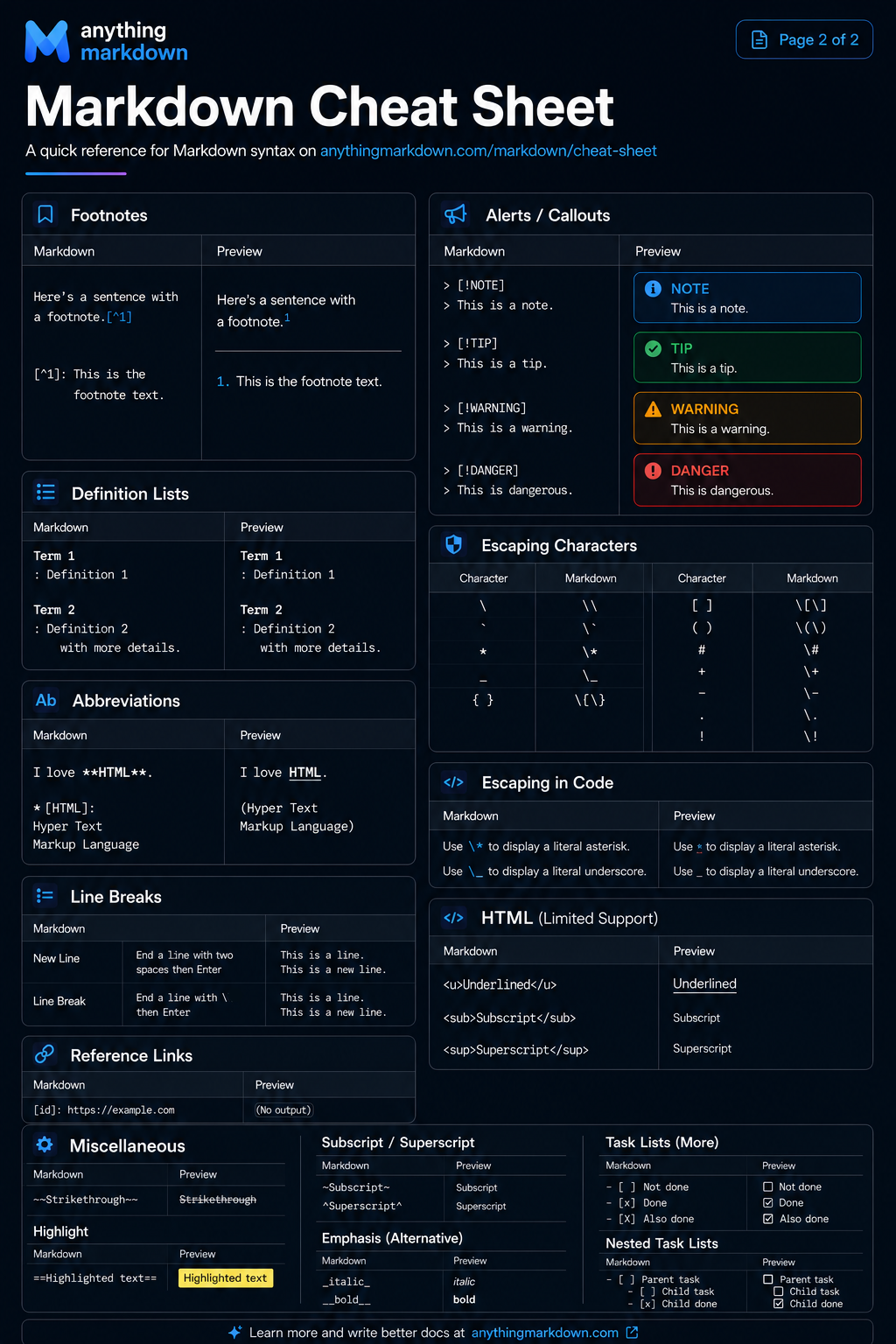
Printable cheat sheet
Keep the full reference handy — download either page as an image.